To manage retailers click
Select next to the retailer record you want to manage. When the 'Editing Retailer Record' box opens edit any of the retailer properties that require editing and click
Update to save the retailer record (or
Cancel). NOTE: Name, Address1, City, Postal Code, OTB Amount, Dispatch Threshold and Bench Mark are all required fields. The OTB Amount, Dispatch Threshold and Bench Mark fields will only accept numeric values (see errors in screen shot below).

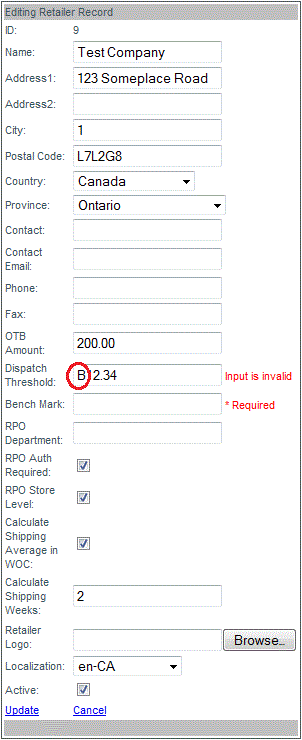
To add a retailer's logo click "Browse" to locate the image file of the logo and click
Update to add the logo once the upload has completed (background turns green). Supported image files include .jpg, .gif, .png.

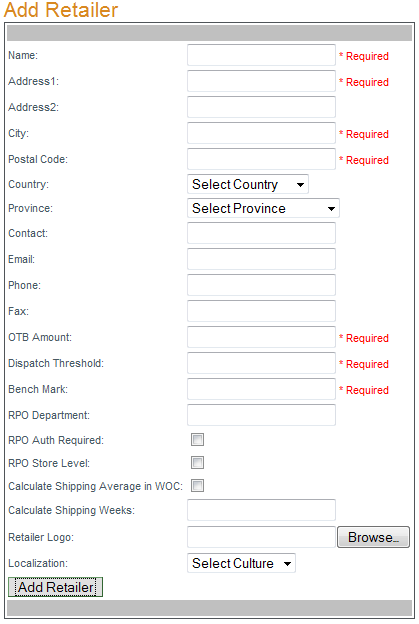
To add a retailer enter all necessary retailer information into the 'Add Retailer' box and click "Add Retailer" to save the new retailer (or
Cancel). NOTE: Name, Address1, City, Postal Code, OTB Amount, Dispatch Threshold and Bench Mark are all required fields. OTB Amount, Dispatch Threshold and Bench Mark fields accept numeric values only.