This user guide has been created for users of the
acuFILL Intelligent Inventory Management software.
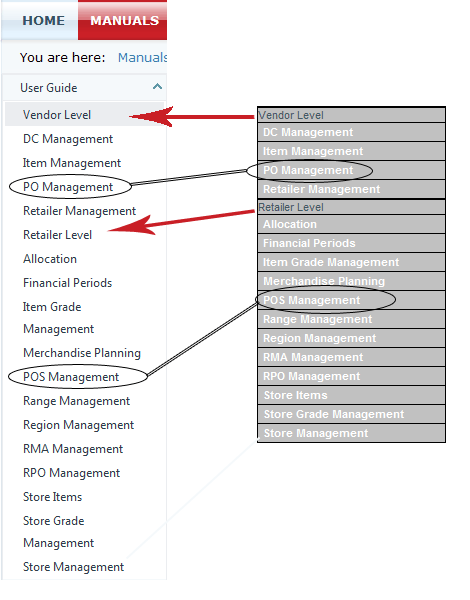
This guide's menus, sections and pages are organized exactly the same as the ones you use in acuFILL. To navigate this guide use the menu on the left side of the screen.
Accessing information about a component in the user guide is the same process as accessing the actual component in acuFILL. For information on the
Retailer Level component
Item Grade Management, find the Retailer Level section in the user guide's menu and scroll down to Item grade Management.
For ease of use, all information on a component is located on a single page. For
ALL information on the
Financial Periods component click the Financial Periods link in the user guide's menu.
To help illustrate procedures, this guide contains screen shots of the actual acuFILL pages whenever possible.
The image below shows this user guide's navigation menu on the left, the acuFILL menu on the right and illustrates the relationship between them.